Aesthetic Bio Ideas: Formulas That Work on Every Platform
Stop copying random bios. Four reusable formulas, the Script Signature, the Small-Caps Minimalist, the Framed Name and the Divider Stack, adapted for Instagram, TikTok and X limits.
By the Fancy Text Generator Team · · 5 min read · Reviewed 12 November 2026
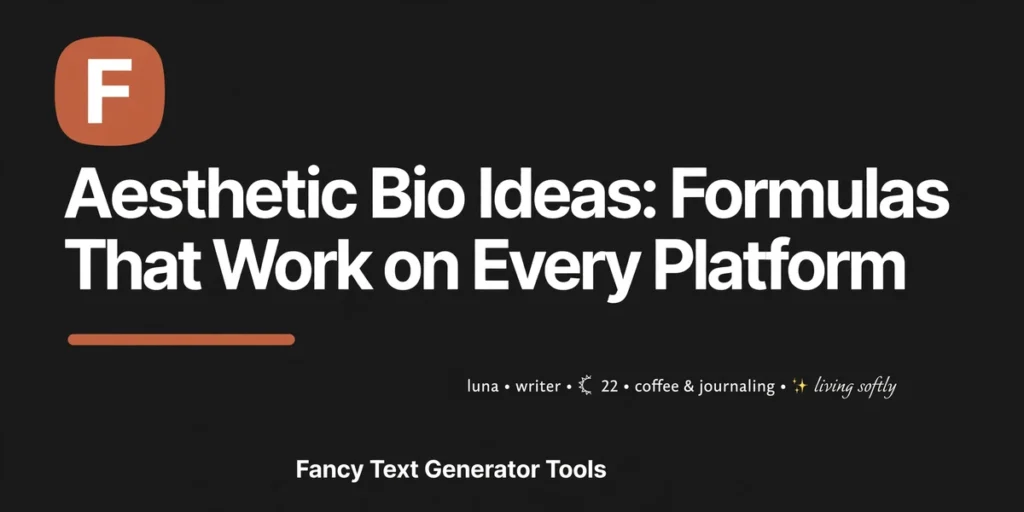
Search for aesthetic bio ideas and you get the same thing everywhere: a hundred bios to copy and paste, all built for someone else. Someone else’s name, someone else’s platform, someone else’s character budget. Paste one into your own profile and it usually lands wrong: too long, too loud, or full of boxes.
A good aesthetic bio is not a find, it is a formula: an alphabet, a decoration, and a budget. Change the words, keep the shape, and the bio still works. Below are four formulas with worked examples, counted character by character, from Fancy Text Generator Tools. Here are bio ideas Instagram, TikTok, and X all have room for, whether you want cute bio ideas for a personal account or a clean look for a business profile. If you have already read an aesthetic bio copy paste list or three, this article replaces them.
Why a formula beats a copied bio
A copied bio fails in three predictable ways. Length: a bio written for Instagram’s 150 characters will not fit TikTok’s 80. Rendering: a bio full of fraktur looks elegant on your phone and like empty boxes on a five-year-old Android. Fit: a divider-stack bio built for a photographer reads as noise on a gaming profile. A formula survives all three, because you rebuild it with your own words.
The four formulas at a glance
Each formula is one alphabet plus one decoration. Costs are for the worked examples below, counted two ways.
| Formula | The look | Best first platform | Example cost |
|---|---|---|---|
| Script Signature | One script name, plain text below | 57 characters (60 UTF-16 units) | |
| Small-Caps Minimalist | Small caps headings, plain body | X | 44 characters |
| Framed Name | One symbol frame around a name | 41 characters (44 UTF-16 units) | |
| Divider Stack | Short lines split by a symbol divider | 49 characters (52 UTF-16 units) |
The limits you are writing inside
Every bio formula lives or dies on the character limit.
| Platform | Field | Limit |
|---|---|---|
| Bio | 150 characters | |
| Name | 30 characters | |
| TikTok | Bio | 80 characters (some accounts report up to 160, see below) |
| TikTok | Display name | 30 characters |
| X | Bio | 160 characters |
| X | Display name | 50 characters |
TikTok is the one row with an argument attached. Its Help Center says bios cannot exceed 80 characters, and most guides still quote 80. But several guides now report that some accounts accept up to 160, apparently in a staged rollout. Draft to 80: a bio that fits in 80 survives everywhere.
One more rule. Letters from the Mathematical Alphanumeric Symbols block (U+1D400–U+1D7FF) sit outside the Basic Multilingual Plane, so some platforms count each one as two units. Count every styled letter as two, and leave five to ten characters of slack.
1. The Script Signature
The Script Signature is the oldest trick in the book and still the best one. Your name, in a script alphabet, sits on the first line; everything else is plain text. The script reads as handwriting, which is why it feels personal. It is the most forgiving of the four on older phones: script alphabets are widely supported, while fraktur and double-struck turn into boxes most often.
How to build it
Generate your name in a script alphabet, then stop. One script line, then one plain line that says what you do, then one plain line that says what to do next. Instagram’s name field holds 30 characters and is searchable, so keep the script name in the bio’s first line and the name field plain.
Worked example
Here is a full Instagram bio built on the formula:
ℳ𝒶𝓎𝒶

coffee · books · slow mornings

new post every friday
That is 57 characters by code point, and 60 UTF-16 units: the four script letters cost seven units, because three of them sit outside the Basic Multilingual Plane. Either way, it fits Instagram’s 150 with room to spare.
Where it fits best
Instagram first, because 150 characters give the script line room to breathe. It also fits X (display name 50) and TikTok (display name 30). It does not belong in a username or handle anywhere: handles reject styled letters on every platform.
2. The Small-Caps Minimalist
The Small-Caps Minimalist is the quietest formula here, and the one most likely to survive a job interview. Small capitals for the headings, plain lowercase for everything else, no symbols at all. It looks designed without looking decorated, which suits business accounts and photographers.
One quirk: small capitals exist for 25 of the 26 letters. Only X has no small capital anywhere in Unicode, so generators write X as a plain lowercase x.
How to build it
Pick one or two heading words and set them in small caps. Write every other line in plain lowercase. That contrast is the whole design. Resist the urge to add a symbol for balance: the formula works because there is nothing extra in it.
Worked example
A photographer’s Instagram bio on the formula:
ᴍᴀʏᴀ ᴊᴏɴᴇꜱ

ᴘʜᴏᴛᴏɢʀᴀᴘʜʏ

london · prints below
44 characters, and because small capitals sit inside the Basic Multilingual Plane, the code point count and the UTF-16 count are the same. That predictability is half the reason this formula is the safest of the four.
Where it fits best
X first, where a 160-character bio gives small-caps headings room. Instagram second, where it reads as calm next to louder profiles. Best of the four for a business account, because nothing in it can render as a box.
3. The Framed Name
The Framed Name is the loudest formula here, so it comes with a rule: one frame, never two. A single symbol frame around a bold or script name reads as designed. The same frame repeated on every line reads as clutter. Good frames are simple: a white heart, ♡, on each side of a name, a four-pointed star, ✧, doing the same job, or a bracket frame that looks like a doorway around the name.
How to build it
Choose the frame first, then the name inside it. Bold and script names both work inside a frame; small caps get lost in one. Keep the frame to a single line and nothing else decorated. The frame is the decoration; everything else is the message.
Worked example
The same name as before, framed, on Instagram:
꧁༺ ℳ𝒶𝓎𝒶 ༻꧂

coffee · books · slow mornings
41 characters by code point, 44 UTF-16 units. The framed name line alone is 10 characters, so the frame itself costs six: four bracket characters and two spaces. That leaves more than a hundred characters for the rest of the bio, and the same frame fits TikTok too, far inside the 80-character limit.
Where it fits best
Instagram and TikTok display names, where a framed name is the first thing a visitor sees. It also works in an X display name, which holds 50 characters, but keep the frame out of the bio itself on X. One caution: frames built from rare characters can vanish on older phones, so check the framed name on a second device first.
4. The Divider Stack
The Divider Stack is a layout, not a decoration. Three short lines, separated by a line of symbols, so the eye reads the bio in three beats: who you are, what you offer, what to do next. It rewards short words more than any other formula. The divider itself should be boring: a row of dashes with a star or two in the middle.
How to build it
Line one is your name, in script or bold. Line two is the divider. Line three is the offer, in plain text, under 25 characters if you can manage it. Three lines, three jobs, nothing else.
Worked example
A full Instagram bio on the formula:
ℳ𝒶𝓎𝒶

─── ⋆⋅☆⋅⋆ ───

coffee · books · slow mornings
49 characters by code point, 52 UTF-16 units, and the divider line itself is 13 characters. The same shape fits X easily, where the 160-character bio holds the full stack. On TikTok, the stack needs one change: at least one guide reports that TikTok bios do not support line breaks, so the three lines become one flowing line. The counted version below is 37 characters, or 40 UTF-16 units.
ℳ𝒶𝓎𝒶 ⋆ coffee · books ⋆ slow mornings
Where it fits best
Instagram first, where line breaks are allowed and each break costs one character. X second, where the 160-character bio holds the full stack. TikTok third, in the single-line version above.
One rule for all four
One alphabet, one decoration set, per profile. A script name with a small-caps heading and a framed divider is not three formulas. It is a mess. Pick one formula, use it in the name field, the bio, and the display name, and change it everywhere at once. Mixing formulas is the single most common reason a bio looks messy.
What breaks an aesthetic bio
Five mistakes cover nearly every broken bio. Styling the whole bio: slow to read, invisible to search, often silent to screen readers. Mixing formulas. Building on fragile alphabets: fraktur and double-struck show as boxes most often, so use bold or script instead. Styling the searchable name: search matches plain letters. Skipping the test: your phone rendering a style proves nothing about anyone else’s phone.
Accessibility and search, honestly
Fancy text has a real accessibility cost. The Unicode Standard says the Mathematical Alphanumeric Symbols block should not be used to represent styling of nonmathematical text, and WCAG 2.2 Failure F71 records that using look-alike characters for text, without a text alternative, fails Success Criterion 1.1.1.
In practice, the outcome is usually silence. Accessibility practitioner Adrian Roselli tested the common screen readers against bold and italic math letters in 2025: NVDA and VoiceOver announced nothing at all, while JAWS spelled the letters one by one. A bio written entirely in fancy text sounds like nothing to a screen reader user. Keep the message in plain text; style the decoration, never the information. Search works the same way, so keep the name field plain or mostly plain.
Frequently asked questions
Three questions, answered short.
Can I use the same bio on every platform?
The shape travels, the length does not. A Script Signature works on Instagram, TikTok, and X, but the TikTok version must fit 80 characters and the X version can use all 160.
Will fancy text get my account banned?
No platform publishes a rule that bans styled Unicode letters in a bio, and there is no reliable evidence of shadowbans tied to them. The real costs are search and readability, not punishment. Keep the searchable parts plain and the risk is gone.
Why does my bio show boxes on some phones?
Boxes mean the viewing device has no font for that Unicode block. It is a device limitation, not a broken generator. Swap fraktur and double-struck for bold or script, and the boxes go away.
Pick one formula tonight, build it with your own words, count it, test it, and leave it alone for a month. A bio is a signpost: clear, consistent, and easy to find.
Sources
- PostBoost, “Instagram Bio Character Limit: 150, and How Emoji Count”: https://postboost.co/learn/instagram-bio-character-limit
- Linx, “TikTok Bio Character Limit Is 80. Here Is the One-Minute Fix (2026)”: https://linx.ly/blog/tiktok-bio-character-limit
- BoldlyType, “TikTok Character Limit 2026: Caption, Bio, Comment, Username”: https://boldlytype.com/blog/tiktok-character-limit
- PostZen, “Twitter Character Limit 2026: Complete X/Twitter Limits Guide”: https://www.postzen.dev/blog/twitter-character-limit-2026
- W3C, “F71: Failure of Success Criterion 1.1.1 due to using text look-alikes to represent text without providing a text alternative”: https://www.w3.org/WAI/WCAG22/Techniques/failures/F71
- Influencer Bridge, “LinkedIn Text Formatting Not Working? Here Is What Actually Broke”: https://www.influencer-bridge.com/blog/linkedin-text-formatting-not-working
- Unicode Character Database, checked with Python unicodedata (small capital coverage, script and bold alphabet verification)
Put it into practice
Open the tools this guide points to and try the styles yourself.
Bold Text Generator
Generate 𝐛𝐨𝐥𝐝 Unicode text in serif, sans-serif and bold-italic alphabets, copy and paste bold letters into bios, captions and names.
Open tool → Platform FontsInstagram Fonts
Fancy fonts for Instagram bios, names and captions, script, bold, small caps and aesthetic styles that fit the 150-character bio limit.
Open tool → Colour TextDiscord Coloured Text Generator
Create coloured Discord text with ANSI codes, pick a colour, add bold or underline, copy the code block and paste it into Discord.
Open tool →Keep reading
More guides from the blog.
 Platform Guides
How to Make Fancy Text for Your Instagram Bio (Step by Step)
Your Instagram bio has no font button, every stylish bio you have seen is Unicode text pasted in. Here is the safe way to do it without breaking search or readability.
· 6 min read → Text Styles and Symbols
What Is Unicode Fancy Text? The Blocks Behind Every Stylish Font
Bold that is not bold, script that is not a font. A plain-English tour of the Unicode blocks, Mathematical Alphanumerics, Enclosed Alphanumerics and combining marks, that power every fancy text generator.
· 7 min read → Platform Guides
Discord Fonts and Coloured Text: The Complete Guide
Discord gives you markdown, Unicode nicknames and, hidden in code blocks, real coloured text via ANSI codes. How all three systems work, and when to use each.
· 6 min read →